
How to Order
From blank to branded in four easy steps, on desktop or your phone.
Uploading a logo
Click Select File to browse for your logo. After selecting it you'll get three options: keep the logo as-is, remove the white background, or remove all white from your logo. Then place and size it on the garment. What you see is what we use to make the final product.
Adding text & monograms
Replace the placeholder text with your own, then choose a font and color. For monograms, pick a style and change the letters. You can edit each element and recolor it. When sizing a monogram, highlight the entire design so it keeps its shape.
A note on custom logos
If you're using a custom logo, a one-time set-up (digitizing) fee applies. This prepares your artwork for the embroidery machine and is reused on future orders of the same design.
Questions? Reach us via live chat or our contact page, Mon-Fri, 9am-6pm ET.
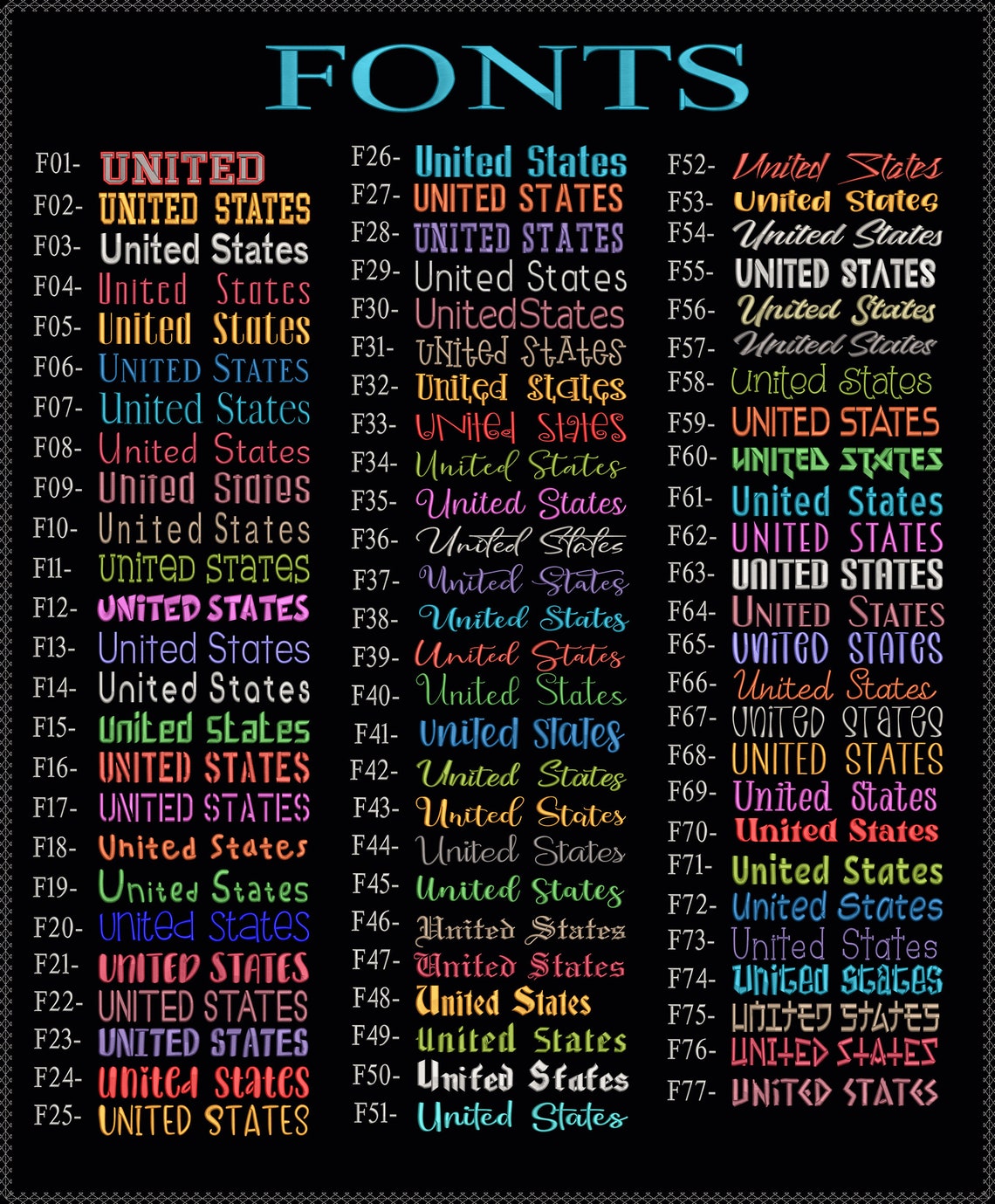
Every font, stitched for real: pick your style in the designer.